


Rename Character
Game Content
How to Rename Your Character
Want a new identity for your character?You can change your character name using the Rename feature.
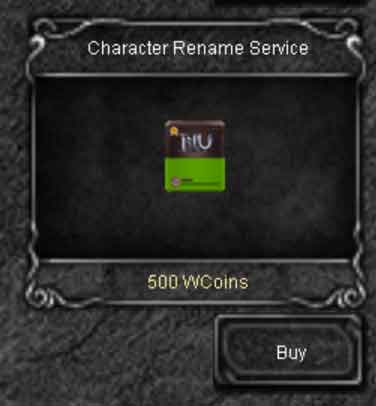
Renaming requires a Rename Ticket, which can be purchased directly from the in-game XShop.After obtaining the ticket, use the rename command to choose your new character name.
Get a Rename Ticket
Open the XShop in game and purchase the Rename Ticket.
The ticket is required to complete a character name change.
You can also purchase the Rename Ticket as a gift for another player directly through the XShop.When sending it as a gift, you can add a personal message that will be delivered together with the ticket.
This makes the Rename Ticket useful not only for your own character, but also as a practical gift for friends, guild members or event rewards.
Important: after pressing Use on the Rename Ticket, do not disconnect from the server and do not change your character.The Rename Ticket is activated only for the current character session.If you disconnect, return to Character Selection or switch to another character before completing the rename, the activated ticket will be lost and cannot be used again.
How to Rename Your Character
- Enter the game with the character you want to rename.
- Open the XShop and purchase a Rename Ticket.
- Open XShop Storage, select the Rename Ticket and press Use.
- Do not disconnect or change character after activating the ticket.
- Use the character rename command.
- Enter the new name you want to use.
- If the name is available and valid, your character will be renamed.
Rename command:
| Command | Command description | Price |
|---|---|---|
/changename |
7-Day Rename Cooldown
The rename feature can be used only once every 7 days.After a successful name change, you must wait 7 days before another rename can be performed.
Choose your new name carefully before confirming the change.
Important: your new character name must be available and comply with the server naming rules.If the requested name is already in use or is not allowed, choose another name.

 Loading...